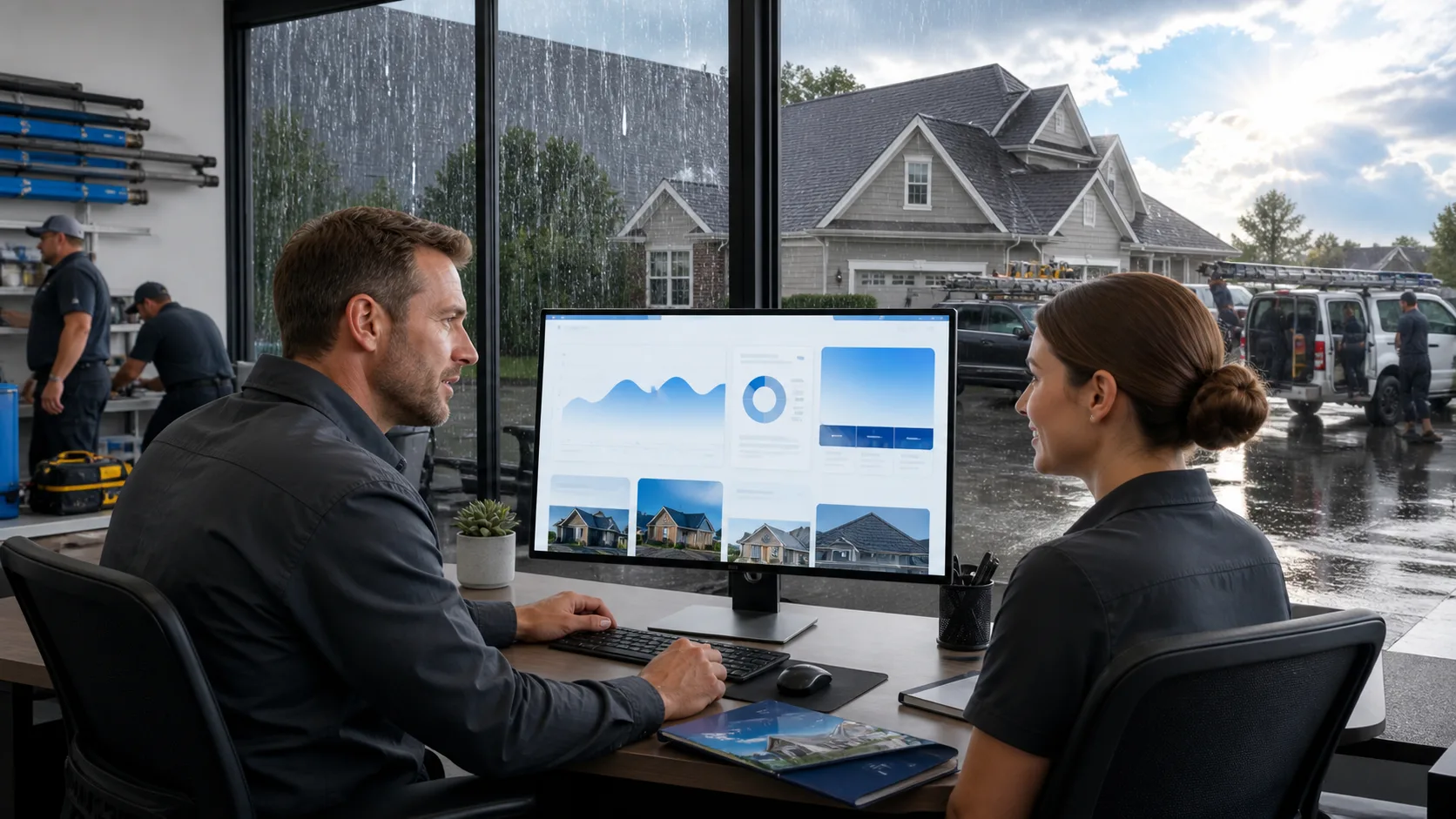
Inside WordPress Hosting for Roofing Companies During Storm Season

Inside WordPress Hosting for Roofing Companies During Storm Season

Storm season can bring a flood of urgent searches for roof repair, inspections, tarping, and insurance claim help. By early October, hurricanes, hail, high winds, and heavy rain can push worried homeowners to search for help right away, often from a phone. If your website is slow or unavailable at that moment, those leads may never reach your office.

We know a good-looking website is only part of the job. WordPress hosting for roofing companies needs to keep your pages fast, secure, and easy to reach when demand rises. At BK Design Solutions, we help bring hosting, website performance, marketing, and ongoing digital support together so your online presence can keep working when the weather turns.

Stay Visible When Storm Damage Drives Searches

When storms hit, people are not casually browsing roofing websites. They may need a tarp, an emergency repair, or an inspection before the next round of rain. Your service pages, phone number, contact form, and service area information should be ready the second they search.

A hosting problem can turn a busy day into a missed opportunity. Slow pages can frustrate visitors, broken forms can hide quote requests, and a full outage can make it seem like your business is unreachable. During a storm-related rush, even a small technical issue can send a homeowner elsewhere before your team has a chance to respond.

That is why we view dependable hosting as the base of a roofing company’s online presence. It supports the website, but it also supports the calls, inquiries, and scheduled inspections that come from that website.

Prevent Downtime During Weather Events

Website uptime matters every day, but it matters even more when local weather creates urgent demand. A roofing team should be focused on answering calls, organizing crews, and helping customers protect their homes, not trying to figure out why a website is offline.

Managed WordPress hosting can help reduce that stress through regular monitoring and maintenance. Reliable hosting environments are built around dependable servers, monitored systems, software updates, and support processes that help address problems before they grow.

Before severe weather arrives, we recommend reviewing a few basic hosting questions:

  • Is your website being monitored for outages and errors?
  • Do you know who handles WordPress updates and technical problems?
  • Is support available when you are running a storm-related campaign?
  • Are your contact pages and emergency service pages protected from downtime?

Low-cost, overcrowded hosting plans may seem fine during a quiet week. Yet when more visitors arrive at once, those plans can struggle. WordPress hosting for roofing companies should give you confidence that your online presence can stay available when homeowners need quick answers.

Prepare for Sudden Traffic Surges

A major hailstorm or wind event can bring a large wave of local searches in a short time. Visitors may land on your emergency repair page, storm damage page, financing page, or contact page within minutes of seeing an ad or searching on Google.

Speed plays a big part in whether those visitors stay. If a page takes too long to load, a homeowner may leave before seeing your phone number, credentials, or form. Fast pages make it easier for people to act while the need is still urgent.

Several parts of website performance deserve attention before storm season:

  • Caching that helps frequently visited pages load faster
  • Compressed project photos and images that do not weigh pages down
  • Updated WordPress software, themes, and plugins
  • Mobile-friendly forms and click-to-call buttons
  • A content delivery network that can support quicker page delivery

Paid advertising makes this preparation even more important. When you invest in Google Ads after a storm, every click should lead to a stable, fast landing page. A slow or broken page can waste ad spend and reduce the number of calls and form requests your campaign creates.

We also recommend reviewing your highest-traffic pages ahead of time. Remove old plugins, update outdated content, and test the full experience from a mobile device. Most urgent searches happen quickly, and your website should make the next step simple.

Protect Roofing Leads with Security and Backups

Storm season is no time to discover that an outdated plugin or weak login has put your site at risk. WordPress websites can be targeted by automated bots, spam, malware, and login attempts, especially when updates have been ignored.

A security issue can interrupt lead generation, affect customer trust, and create extra work during an already demanding time. For roofing companies, that can mean missed form submissions, damaged pages, or lost access to the tools used to manage the site.

We recommend a managed hosting plan that includes practical safeguards such as firewalls, malware scanning, login protection, spam prevention, security updates, and ongoing plugin monitoring. These measures help protect your forms, customer contact details, website content, and administrative access.

Backups matter just as much. If a failed update, security concern, or human error affects the site, a recent backup can help restore important pages, project photos, forms, and service information. Backups should be stored securely and checked from time to time, not simply assumed to be there when needed.

For companies running storm offers and Google Ads campaigns, security and recovery planning protect the lead flow behind those efforts. Our managed website care is designed to help keep those digital assets supported instead of leaving you to manage technical surprises alone.

Keep Ads, Forms, and Dispatch Tools Connected

Your website is often the middle point between a homeowner’s search and your office team. Leads can come from SEO, Google Ads, our Google Business Profile work, social media, referrals, or direct searches. No matter where they begin, every path should lead to a working form, phone link, chat tool, or appointment request.

Many roofing websites also connect to professional email, a CRM, call tracking, calendars, and dispatch tools. If a form plugin conflicts with another update or an email notification fails, a lead can disappear before anyone sees it. Hosting is not just a place where files sit. It helps support the systems that keep lead generation moving.

Testing the customer path before and during a storm campaign can uncover problems early. We suggest confirming that a form submission arrives in the right inbox, checking click-to-call buttons on several mobile devices, and reviewing landing page performance after ads go live.

When hosting, professional email, website management, SEO, and Google Ads are handled with a shared plan, it is easier to spot where an issue begins. That connection can help your team respond faster when homeowners are looking for immediate roofing help.

Make Your Roofing Website Storm-Ready Today

Storm season can create strong opportunities for roofing companies that are ready to respond. A fast, secure, available website supports emergency searches, paid campaigns, incoming forms, customer communication, and the day-to-day work of serving people after severe weather.

Before the next storm arrives, review your hosting reliability, page speed, backups, security protections, mobile experience, form delivery, and support process. A website that is prepared ahead of time gives your team more room to focus on the work that matters most when urgent calls begin coming in.

Keep Your Roofing Website Ready When Demand Spikes

BK Design Solutions can help you build a more dependable online foundation with WordPress hosting for roofing companies tailored to the demands of storm season. Our hosting support helps protect your site, keep it accessible, and give customers a smoother way to reach your team. If you are ready to strengthen your website’s reliability, contact us to discuss your needs.


Can Managed WordPress Hosting Keep Plumber Leads Flowing?

Can Managed WordPress Hosting Keep Plumber Leads Flowing?

A plumbing website has to work when a customer needs help right now. A leak, backed-up drain, failed water heater, or cold-weather plumbing concern can send someone searching on a phone within minutes. If your site is slow, down, or hard to use, that customer may move on before they ever see your number. We help trade and service businesses protect the lead flow they build through SEO, Google Ads, referrals, and local searches.

Turn Urgent Plumbing Searches Into Leads

Fall is a busy time for many plumbing companies. Customers may be thinking about pipe insulation, sump pumps, water heater maintenance, drain cleaning, and getting their homes ready for colder weather. When an issue appears, they want clear answers and an easy way to request service.

For many customers, your website is often the first stop. It needs to load quickly, display the right services, and make it simple for visitors to call or submit a request. Managed WordPress hosting for plumbers is more than a technical detail behind the scenes. It helps keep the digital path from a local search to a service call open.

We connect hosting with the other parts of your online presence, including WordPress website design, SEO, Google Ads, domains, and business email. That connected approach helps us spot issues that could interrupt customer communication or weaken a marketing campaign.

How Managed WordPress Hosting Protects Leads

A website outage can stop more than page views. It can prevent a customer from using a contact form, tapping a click-to-call button, requesting an appointment, or finding emergency service details. Even a brief disruption can be frustrating when someone needs same-day plumbing help.

Reliable hosting supports the everyday tasks that keep a WordPress website functioning properly. Rather than waiting for a problem to appear, we can help oversee the moving pieces that affect site health, including:

  • Server monitoring and performance checks
  • WordPress core, theme, and plugin updates
  • Website backups and recovery planning
  • Review of issues that may affect forms or page functions

Outdated software or a plugin conflict can cause problems at the worst possible time. With managed WordPress hosting for plumbers, we focus on reducing those risks so your site remains a dependable place for customers to find help.

A polished website also supports trust. When pages load correctly, service information is current, and emergency contact options are easy to find, visitors get a better first impression of your business. The online presence should reflect the dependable work your team provides in the field.

Speed and Uptime Win Calls During Fall Emergencies

Many urgent searches happen on mobile phones. A homeowner standing near a leaking water heater or dealing with a clogged kitchen sink is unlikely to wait around for a slow page to appear. They need to see your phone number, service area, reviews, and availability without extra delays.

Fast hosting gives your website a stronger foundation for that experience. It helps visitors move from a search result to the information they need with less friction. Pages should make it easy to find:

  • Emergency and same-day service messaging
  • Service area information
  • Customer reviews and trust signals
  • Financing details, when available
  • Clear phone and contact options

Uptime matters just as much as speed. When your site is unavailable, potential customers cannot reach your forms or see the services that set your business apart. During fall, searches related to drains, water heaters, sump pumps, and winter preparation can increase, so a dependable site matters every hour of the day.

Paid advertising makes this even more important. Every Google Ads click sends someone to a landing page or service page. If that destination is slow or unavailable, the click may not turn into a call. Stable hosting helps your SEO and advertising efforts work as intended by giving each visitor a smooth place to land.

Security and Support Safeguard Your Marketing Investment

A hacked website can create serious problems for a service business. Malware warnings, spam-filled forms, suspicious redirects, or broken pages can make customers hesitant to share their information. These issues may also interrupt your visibility in search results and create extra work when you should be focused on serving customers.

WordPress sites need regular attention because they rely on core software, themes, and plugins. Keeping those parts updated helps lower the chance that older software creates an opening for trouble. Current backups add another layer of protection, giving us a path to restore the site if something goes wrong.

Technical support also matters when an issue appears. You should not have to spend time sorting through hosting errors, email trouble, or plugin conflicts between service calls. We help identify what is happening and coordinate the right fix, so your lead forms, website pages, and campaigns can keep working together.

Build a Lead-Ready Site Before Winter Demand Rises

Fall is a smart time to review whether your online presence is ready for winter demand. A website should support every way a prospective customer may try to reach you, from a search result to an ad to a local listing. A weak link in that path can cost you a service opportunity.

We recommend reviewing the pieces that most often affect lead generation:

  • Test every contact form, phone link, and click-to-call button
  • Confirm that website backups are current and accessible
  • Review WordPress plugins and remove or address problem items
  • Check page speed on several mobile devices
  • Update seasonal service pages and emergency messaging
  • Make sure domain and business email settings are properly managed

The site also needs to handle traffic from SEO, Google Ads, social media, referrals, and local listings. These channels may begin in different places, but they all bring people back to your website. Hosting performance supports every one of those customer paths.

Keep Your Plumbing Lead Engine Running

At BK Design Solutions, we look at managed hosting as part of the full digital picture, not as a separate technical task. A plumbing company’s website, domain, email, search visibility, advertising, and service pages should support one clear goal: helping local customers reach the business when they need help.

Fast, secure, current hosting helps keep essential customer paths available during periods of seasonal demand. Regular updates, backups, testing, and performance checks all help ensure urgent searches can reach accurate service information and functioning contact options.

Keep Your Plumbing Leads Moving

At BK Design Solutions, we provide managed WordPress hosting for plumbers designed to support a dependable online presence. Our team can help you choose a hosting approach that fits your website’s needs and business goals. Contact us to discuss the right solution for your plumbing company.

Understanding Pest Control Website Hosting for After-Hours Leads

Understanding Pest Control Website Hosting for After-Hours Leads

A pest control website cannot clock out at 5 p.m. Homeowners often spot mice in the kitchen, cockroaches in the bathroom, or spiders in the garage after the office is closed. When they search for help, your site needs to be ready to answer questions and capture their request right away.

At BK Design Solutions, we see how much pest control website hosting matters during the busy fall season. Late September brings cooler shifts that can push pests indoors, and that can lead to more searches for prevention and treatment. Reliable hosting gives your business a steady place to catch those after-hours leads before they move on.

Keep Every After-Hours Pest Inquiry Within Reach

A homeowner who finds signs of rodents at night is not likely to wait until morning to start looking for help. The same goes for someone who sees a bed bug, hears scratching in the walls, or notices cockroach activity before guests arrive. These are high-intent searches, and your website may be the first point of contact.

Your site should stay available, load quickly, and make the next step simple without needing a live office representative. That means your service pages, contact forms, tap-to-call buttons, and booking tools need to work whenever someone is ready to act.

With dependable pest control website hosting, we help support the online tools that make lead capture possible. Visitors should be able to find details about common services, review your service area, and submit a request without running into error messages or slow pages.

As fall approaches, it is smart to review whether your online presence is ready for seasonal demand. Pages about mice entering homes, spiders seeking shelter, and preventative pest services can be especially helpful when cooler weather arrives.

How Pest Control Website Hosting Protects Night Leads

Website downtime can quietly cost your business opportunities. If a visitor cannot load a rodent control page, view termite inspection details, or find emergency contact information, they may keep searching for another option. Managed hosting helps reduce interruptions by keeping a closer watch on the systems behind your site.

Consistent access matters across every service page, including those for bed bug treatments, cockroach control, termite inspections, and seasonal prevention. At any hour, visitors should be able to learn what you handle and take action.

Speed matters just as much. Many after-hours searches happen on a smartphone while someone is standing in their home and looking for answers. Slow pages can make a stressful situation feel even more frustrating. Fast page loads help visitors get to the information they want, such as service guidance, reviews, guarantees, and contact options.

Quality hosting can support performance through factors such as:

  • Dependable server resources
  • Image optimization
  • Ongoing website performance checks
  • Support for seasonal traffic and Google Ads campaigns

Security also affects trust. When visitors share their phone number, address, and pest concern through an online form, they should feel confident that the site is protected. We recommend keeping SSL certificates, malware protection, backups, and software updates in good order as part of a well-managed website setup.

Create Fast Paths From Search to Service Request

After-hours visitors do not want to hunt through a long page for a way to get help. On mobile devices, clear contact options should appear near the top of important service pages and again after useful content. This gives visitors a simple path whether they want to call, complete a short form, or request service through an online booking tool.

A strong mobile experience should make it easy to find:

  • Tap-to-call buttons
  • Short, easy-to-read contact forms
  • Online booking options
  • Service area details
  • Clear service descriptions

Dedicated pages for common pest problems can also answer urgent questions before a visitor contacts you. We recommend explaining the types of pests you address, the areas you serve, and how a visitor can request an inspection or quote. That content can help people feel more informed while also supporting local SEO efforts.

Fall-focused content can be particularly timely. A page about mice moving indoors, for example, may help a homeowner understand why professional support is worth seeking. The same is true for spider concerns, seasonal prevention, and preparing a property before colder weather settles in.

Once someone submits a request, automated confirmations can make a big difference. A brief email or on-screen message lets the visitor know the form was received, explains when they can expect a response, and tells them what information to have ready. Even when the office is closed, that small step makes the process feel more organized.

Keep Forms, Email, and Lead Tools Working Together

A polished website does not help much if its contact forms fail to deliver. Form delivery depends on several connected parts, including your hosting, business email setup, website updates, and form integrations. If one part breaks, an after-hours inquiry could disappear before anyone sees it.

We recommend routinely testing the pieces that bring in leads. This is especially important before launching fall promotions, seasonal service offers, SEO updates, or Google Ads campaigns. A quick review can uncover small issues before they become missed opportunities.

Test items should include:

  • Quote and inspection request forms
  • Online booking tools
  • Tap-to-call links on mobile devices
  • Confirmation emails and form notices
  • Lead tracking and notification settings

Backups matter here, too. A technical problem can affect service pages, customer reviews, forms, and other parts of your online presence. Regular backups give you a way to restore important website content more quickly than an outdated or unmanaged setup might allow. They are not only a technical safety measure; they also help protect the lead tools your team relies on during busy periods.

Proactive monitoring adds another layer of support. By watching for uptime problems, security concerns, performance slowdowns, and website errors, we can spot issues earlier. That means your team can spend more time serving customers and less time trying to figure out why a form or page stopped working.

Turn Overnight Requests Into Next-Day Bookings

The work does not end when a lead arrives. When the office reopens, your team should review website forms, voicemail messages, booking requests, and business email promptly. People dealing with a pest concern may contact more than one company, so a fast response can help your business stay in the conversation.

A simple morning process can keep requests from getting overlooked. Assign someone to check each lead source, flag urgent concerns, and route qualified inquiries to the right person for follow-up. Clear ownership helps turn a late-night search into a scheduled service conversation.

Tracking also shows which pages are doing the best job. We can use analytics, call tracking, and form tracking to identify whether rodent pages, local landing pages, Google Ads campaigns, or seasonal content are bringing in after-hours inquiries. Over time, that information can guide your SEO content, advertising focus, and website improvements.

Keeping hosting, email, marketing, and website updates connected through one team can reduce gaps along the way. When your online tools work together, it is easier to see where leads come from and make sure they reach the right inbox.

Make Every After-Hours Visit Count

Dependable pest control website hosting supports more than basic website availability. It helps keep your site fast, secure, visible, and ready for people who need help outside normal office hours. Before seasonal demand picks up, review your mobile speed, form delivery, booking tools, backups, and service pages.

The best setup is one that gives visitors clear answers and an easy way to request help, whether they search at lunchtime or late at night. When those systems are checked regularly, your business is better prepared to turn urgent pest searches into real service opportunities.

Keep After-Hours Leads Within Reach

BK Design Solutions can help you choose pest control website hosting that supports a reliable, responsive online presence. Our team can assess your current setup and identify practical improvements for lead capture and uptime. Contact us to discuss hosting built around your business needs.

What to Expect From HVAC Website Hosting Before Winter Demand

What to Expect From HVAC Website Hosting Before Winter Demand

Get Your HVAC Site Ready Before Cold Weather Hits

Late September is a smart time to review your HVAC website hosting before winter demand starts building. The first cold snap can send people searching for furnace repair, heating maintenance, emergency service, and replacement options, often from a phone while they are trying to solve a problem quickly.

We know your website has a bigger job than simply looking professional. It needs to stay available, load fast, and guide visitors toward calling or requesting service when they need help. A slow or unreliable site can waste the attention you worked hard to earn through SEO, Google Ads, referrals, and your Google Business Profile.

For an HVAC company, hosting supports the parts of your site that turn visits into leads, including:

  • Click-to-call buttons for mobile visitors
  • Online quote and service request forms
  • Heating service and service area pages
  • Seasonal promotions and maintenance plan details
  • Financing and replacement information

When those pieces work together, your online presence is better prepared for a busy heating season.

HVAC Website Hosting Must Handle Winter Traffic Spikes

Cold weather does not always arrive gradually. One chilly weekend can bring a rush of visitors to your site, especially when homeowners are comparing local HVAC providers or looking for help after normal business hours. Your HVAC website hosting should be ready to support that activity without slow pages, error messages, or unavailable service information.

Page speed matters because people with a heating issue are rarely interested in waiting. If a furnace repair page takes too long to appear, a visitor may leave before seeing your phone number, service details, or request form. Fast server performance helps your most important pages show up quickly on both desktop and mobile devices.

Seasonal traffic can come from several places at once. Your site may receive more visitors from improved local search visibility, fall and winter Google Ads campaigns, social posts, repeat customers, and people sharing your business with a neighbor. We recommend reviewing whether your current hosting plan has enough room for higher demand before that demand is already happening.

A managed hosting provider can help you plan for the real way your business markets itself. Rather than hoping your site performs well during a rush, you can have hosting resources that match the traffic your campaigns and seasonal services are meant to bring in.

Protect Leads with Reliable Uptime and Fast Response

A website outage during cold weather can create a real problem for an HVAC business. If your site is down, customers may not be able to find your hours, view emergency repair information, submit a request, or use the tap-to-call link on their phone. Even a short interruption can send a ready-to-book lead elsewhere.

Reliable hosting should include monitoring and a clear response plan when something goes wrong. We believe you should know who is watching for site issues and who will respond if a page stops loading, a contact form fails, or a server problem affects performance. During a packed service season, your team should be focused on customers, not trying to sort out a technical issue.

Before winter demand peaks, we suggest having a professional review the lead paths that matter most:

  • Phone links on mobile and desktop pages
  • Contact forms and online booking tools
  • Emergency heating service pages
  • Service area pages and map details
  • Links from our Google Business Profile and active ad campaigns

Hosting works best as part of your full lead generation system. At BK Design Solutions, we help keep the technical side of that system dependable so your team can stay focused on serving customers.

Keep Calls Flowing with Security and Daily Backups

Security problems can interrupt your website at exactly the wrong time. Malware, spam submissions, unauthorized login attempts, and outdated software can cause warning messages, strange redirects, broken pages, or an unavailable site. None of those problems make a good first impression on someone who needs heating help right away.

Your hosting should support secure connections, current website software, monitoring for suspicious activity, and protection for forms that collect customer details. HVAC businesses often rely on forms for repair requests, estimates, maintenance inquiries, and replacement questions. Protecting those forms helps protect the leads coming through them.

Backups are just as important. A daily backup gives your site a way back if an update fails, a plugin creates a conflict, or a security issue damages files. Before winter, we encourage you to ask clear questions about your backup process: where the backups are stored, how often they run, and how quickly a site can be restored if trouble appears.

Strong HVAC website hosting is not only about keeping pages online today. It also helps reduce the disruption if something unexpected happens tomorrow.

Prepare Your Hosting for Seasonal Campaigns

Fall and winter marketing often puts more pressure on a website. Furnace tune-up promotions, maintenance agreements, heating repair ads, system replacement offers, and emergency service messages all need landing pages that load quickly and make the next step obvious.

Start by reviewing the pages visitors are most likely to see during the colder months. Your heating repair, furnace installation, emergency HVAC service, indoor air quality, financing, and service area pages should be clear, current, and easy to use on a phone. Each one needs a simple path to request service or tap to call.

Our work at BK Design Solutions brings managed hosting together with website design, professional email, domains, SEO, Shopify development, and Google Ads management. Keeping these parts coordinated can prevent confusing gaps, such as an outdated promotion, a broken ad landing page, or a form that is no longer sending messages where it should.

Schedule a Winter Readiness Review Before Demand Peaks

Your website hosting deserves a place in your winter operations plan. A preseason review can uncover slow pages, broken forms, missing calls to action, outdated offers, security concerns, and hosting limits before customers run into them. It is also a good time to confirm that your site is mobile-friendly, backed up, and ready for an increase in service requests.

The practical goal is simple: make sure customers can find you and take action when the weather turns cold. Responsive support, dependable uptime, security protections, daily backups, and enough hosting resources can help you protect your reputation and remain available when heating service is needed most.

Keep Your HVAC Website Ready for Winter Leads

At BK Design Solutions, we help contractors choose HVAC website hosting built to support a reliable online presence. Our hosting solutions are designed to give your business the performance and protection it needs throughout the busy season. Contact us to discuss the right hosting plan for your HVAC company.

Reseller Vs White Label WordPress Hosting for Growing Agencies

Reseller Vs White Label WordPress Hosting for Growing Agencies

Turn Hosting Into Recurring Agency Revenue

When you send clients to a third-party hosting company, you may be giving away part of the relationship you worked hard to build. Bringing hosting under your agency’s umbrella can create recurring revenue, improve client retention, and give you more say in how a website performs after launch.

For growing agencies, the big choice is usually reseller hosting versus white-label WordPress hosting for agencies. Reseller hosting gives you hosting resources that you divide into client accounts. White label hosting lets you present hosting under your own brand while another provider handles the infrastructure behind the scenes. As September planning turns toward Q4 launches, holiday traffic, and year-end marketing campaigns, the right setup can keep your team prepared without burying it in support requests.

Understand the Reseller Hosting Model

Reseller hosting starts with a larger hosting package that your agency can split into smaller client accounts. You may create different hosting plans, assign storage and bandwidth, set up email accounts, and manage WordPress installations from one central dashboard. Your agency then determines how hosting fits into each client’s service package.

This model can make sense when your team wants hands-on control. We often see agencies use reseller hosting to package website design, maintenance, SEO, or Google Ads work alongside ongoing website management. Instead of treating a website launch as the finish line, you can build a longer-term service relationship.

Reseller hosting can be a practical option when you have internal technical knowledge and a clear process for account management. Still, it comes with responsibilities that should not be brushed aside. Depending on the platform, the hosting provider’s name may remain visible in certain areas, and your agency may become the first stop when a client has a problem.

Common reseller hosting tasks may include:

  • Setting up new accounts and moving websites
  • Answering questions about email, passwords, and account access
  • Handling WordPress errors, SSL certificates, backups, and security concerns
  • Monitoring resource use and helping clients choose the right plan

Before choosing a reseller plan, we recommend reviewing the provider’s service terms carefully. Available resources, support response times, branding options, and uptime commitments can vary widely.

See How White Label Hosting Protects Your Brand

White-label WordPress hosting for agencies takes a different approach. The hosting service is delivered under your agency brand, while the technical provider works in the background. To your clients, your agency remains their main point of contact for their website and related digital services.

That cleaner experience can matter a great deal. A client should not have to wonder whether they need to call the hosting company, their web designer, their email provider, or their marketing team when something goes wrong. With a white label arrangement, you can create a more organized path for communication, billing, onboarding, and support.

Brand control may include:

  • Support messages that come from your agency
  • Customized onboarding for new website clients
  • Agency-managed billing and account communication
  • Client dashboards that do not expose the underlying provider

For trade and service businesses, one accountable digital partner is often easier to understand than a stack of separate vendors. When we manage a client’s hosting alongside domains, professional email, website development, SEO, or Google Ads, the pieces of their online presence can be considered together instead of handled in isolation.

Compare Control, Support, and Profitability

Reseller hosting usually gives your agency direct control over account creation, resource limits, and client plans. That control is useful when your team wants to manage the details closely. White label hosting can offer similar account-level flexibility, but the provider may take on more of the backend work, such as infrastructure monitoring, updates, security tasks, and technical troubleshooting.

The real difference often shows up in support. With reseller hosting, your team may be expected to respond to routine hosting questions before escalating anything more serious. That can pull designers, developers, and account managers away from the work clients hire them to do.

White label hosting can reduce that pressure when the provider supplies behind-the-scenes technical help. Your agency can stay focused on client communication, strategy, website improvements, and marketing services, while hosting specialists handle the deeper infrastructure issues.

Profitability is not only about the monthly hosting charge. It is also about your team’s time, stress level, and ability to deliver a dependable experience. Reseller hosting can work well when your support process is efficient. White label hosting may be a better fit when you want to package hosting as a premium, managed service without building a full internal support department.

Choose a Model That Fits Your Agency

White-label WordPress hosting for agencies is often the stronger choice when you want to grow recurring services while keeping your brand front and center. It can be especially helpful if your clients expect prompt answers, proactive security, reliable website performance, and one clear point of contact.

Before signing with any provider, we suggest asking direct questions about what happens after a site goes live. A good hosting relationship should be clear before you start moving client accounts.

Ask about items such as:

  • WordPress performance, backups, malware monitoring, and SSL management
  • Staging environments and support for website migrations
  • Professional email support and domain-related assistance
  • Uptime commitments, support response expectations, and escalation steps
  • Whether clients will ever see the provider’s name or branding

September is a smart time to review these details. Q4 can bring website refreshes, seasonal promotions, increased traffic, and urgent launch requests. A hosting setup that feels manageable during a quiet month may feel very different when multiple clients need help at once.

Build a Q4 Hosting Plan Clients Trust

Your best model depends on your team capacity, technical skills, growth plans, and the experience you want clients to have. Reseller hosting can be a solid starting point for agencies that want direct account management. White label hosting can support a more scalable service model for agencies that want to protect their brand while relying on experienced technical support in the background.

Before holiday campaigns and year-end launches pick up speed, review where support requests go, who owns client communication, and how quickly hosting issues can be handled. The goal is not simply to sell hosting. It is to create a dependable system that helps clients feel supported long after their website goes live.

Deliver Reliable Hosting Under Your Brand

BK Design Solutions helps you build a hosting offering that fits your agency’s workflow, client expectations, and growth plans. Discover how white-label WordPress hosting for agencies can give you dependable infrastructure without adding unnecessary operational burden. When you are ready to discuss the right setup for your team, contact us for a personalized recommendation.

Hosting Vs DIY Maintenance for Busy Plumbing Companies

Hosting Vs DIY Maintenance for Busy Plumbing Companies

Keep Plumbing Leads Flowing Before Winter Demand Hits

September is a smart time to review your plumbing website before cold-weather calls begin to pile up. As water heater problems, drain backups, frozen pipe concerns, and emergency requests increase, your site needs to be ready to turn urgent searches into booked jobs.

We often remind plumbing companies that a website is not something you build once and forget. It needs steady care to stay fast, secure, easy to find in search, and simple to use on a phone. A small problem can send a homeowner to another company when they need help right away.

A broken call button, expired domain, slow contact form, or outdated service page can quietly hurt your lead flow. When someone is standing in a wet basement or dealing with no hot water, they are unlikely to wait around for a page to load or hunt for a working phone number.

That is where the choice between managed hosting and DIY website maintenance matters. Managed WordPress hosting places technical tasks in the hands of a qualified provider. DIY care puts those tasks on you or someone on your team, along with all the troubleshooting that comes with them.

What Managed Hosting Covers That DIY Care Misses

Keeping a website online is only one part of plumbing website management. Behind the scenes, WordPress sites need regular updates, security checks, backups, speed reviews, and ongoing monitoring. Each task helps keep the pages, forms, maps, reviews, and phone links your customers rely on available when they need them.

A managed hosting plan should help cover work such as:

  • WordPress, theme, and plugin updates
  • Plugin compatibility checks after updates
  • Uptime monitoring and security scanning
  • Website speed and mobile performance reviews
  • Reliable backups and help restoring the site if something goes wrong

Updates deserve more attention than many people expect. A plugin update may improve one feature while causing trouble somewhere else. It can affect a page layout, interrupt a quote form, create a conflict with another tool, or cause a booking feature to stop working properly.

With managed support, we can watch for issues, investigate problems sooner, and restore a site when an update creates trouble. When maintenance is handled only when someone has spare time, problems may go unnoticed until a customer mentions that a form failed or a page looks strange.

Your office should be focused on dispatching technicians, returning customer calls, following up on estimates, and getting ready for seasonal demand. Handing off technical site care creates a more dependable process and helps prevent website tasks from sitting on a to-do list for weeks.

The Real Burden of DIY During Busy Weeks

DIY website care can seem simple because there is no outside support team handling the work. Still, it takes time to learn what each update does, research errors, renew services, manage passwords, check forms, and figure out which plugin caused a problem.

During a slow week, that work may feel manageable. During a packed service week, it is easy for website maintenance to move to the bottom of the list. A business owner may plan to check the site later, only to find that later arrives after a missed lead or a customer reports a problem.

Delayed maintenance can lead to issues that affect how people experience your business online. A site may load slowly, show a security warning, display old service information, or fail to collect requests from potential customers. Even one missed emergency call or water heater replacement inquiry can make the time saved by avoiding maintenance feel very small.

DIY management can work for a company with a simple website, strong technical confidence, documented processes, and dedicated time each month. Even then, the business needs a clear way to manage renewals, backups, passwords, updates, and urgent website failures. We find that this level of consistency is hard to maintain when the phones are ringing and technicians are in the field.

Protect Customer Leads Through Security and Backups

Plumbing websites often collect customer details such as phone numbers, addresses, and quote requests. That makes security an important part of protecting both your business and the people who contact you. A compromised website can interrupt lead generation, damage trust, and create a stressful recovery process.

Secure hosting and regular monitoring can help reduce exposure to common WordPress threats. Just as important, the website should have a backup process that does more than create a file somewhere in the background.

A dependable backup needs to be:

  • Recent enough to be useful
  • Stored where it can be accessed when needed
  • Checked to make sure it is working properly
  • Available for a quick restoration if the website fails

Many DIY users set up backups once and assume the job is finished. But backup settings can fail, storage can fill up, and old files may not restore as expected. Managed support gives you a clearer process for protecting your site and getting it back online if an issue occurs.

Trust also matters in local search. When someone finds your plumbing company on a mobile phone, they want to see a professional site with current service information, accurate hours, a working call option, and a secure browsing experience. Those details support the confidence people need before they choose who to call.

Choose Support That Can Grow with You

Your website needs can change as your plumbing business grows. Adding service areas, new technicians, emergency hours, financing details, seasonal offers, or new service pages can create more moving parts. Each change should work well with the rest of your site instead of creating a new technical problem.

We recommend choosing support that understands lead generation, not just server space. Hosting works best when it connects with the other tools that help people find and contact you, including your domain, professional email, website design, SEO work, and Google Ads campaigns.

Before choosing website support, ask clear questions:

  • Who handles updates, security checks, and backups?
  • How quickly can website problems be reviewed?
  • Can the provider help with content and service page changes?
  • Will they monitor page speed and mobile performance?
  • Can the site support SEO and paid advertising as your company grows?

One coordinated provider can reduce confusion when several parts of your online presence need attention. Instead of trying to sort out whether a problem belongs to your domain company, email provider, web designer, or host, you have a clearer path for getting help.

Prepare Your Website for the Next Service Rush

DIY maintenance can work when you have technical knowledge and a dependable routine for handling it. For many busy plumbing companies, managed hosting offers more confidence that the website will remain available, protected, and ready when seasonal demand increases.

Reviewing hosting, domain renewal status, backups, contact forms, phone links, service pages, and mobile performance helps identify weak points before seasonal demand increases. When these elements work smoothly, the website is better prepared to provide accurate information and reliable access during urgent plumbing searches.

Keep Your Plumbing Website Ready to Respond

BK Design Solutions provides dependable plumbing website management that keeps essential updates, security, and performance from adding to your team’s workload. We handle the technical details so your website can continue supporting customers and service inquiries. If you need a more reliable maintenance plan, contact us to discuss your needs.

website

Why Albuquerque Sites Should Avoid Popup Overuse This Fall

September tends to bring a shift in online behavior, especially for local businesses in Albuquerque, New Mexico. Summer routines fade, school schedules return, and people start preparing for the holiday season earlier than they used to. As local traffic picks up, many businesses respond by launching promotions, fall specials, and seasonal offers online. That usually means adding popups, sometimes lots of them.

It can seem like a smart way to catch attention, but too many popups stacked on top of each other can do more harm than good. From slower speeds to frustrated users, overusing popups might stop you from connecting with people who were ready to act. This is especially true for mobile visitors or anyone dealing with slower internet. A better approach starts with timing, simplicity, and thoughtful web design in Albuquerque.

How Too Many Popups Create Frustration

We’ve all landed on a site and immediately gotten hit with a popup before reading a single sentence. Maybe you closed it, maybe you left. Either way, that first impression went downhill.

Popups that appear too frequently or too soon can push people away before they even see what you offer. Not everyone is browsing on a fast connection or new phone. If your site is weighed down with overlapping popups, older devices can struggle to load the content properly. That creates a confusing user experience when screens freeze, buttons overlap, or nothing loads at all.

Content that gets covered up or bumped around by popups breaks trust. It makes your site feel outdated, even if your content is well written and on point. People want quick answers, not surprise forms they didn’t ask for.

Timing and Relevance Matter More Than Quantity

When it comes to popups, less really is more. One well-placed, well-timed popup will almost always outperform three random ones. It feels intentional. It respects the visitor.

The best popups tend to appear after someone has already shown interest. That could mean waiting until they’ve scrolled down a page, clicked on a product, or hovered near the exit button. These kinds of delayed or exit-intent popups usually feel more natural than ones that pop up the second the page opens.

Here are a few ways to improve popup timing:

  • Delay the popup until someone scrolls at least halfway through the page
  • Use exit-intent popups to capture attention just before someone leaves
  • Keep messages short and clearly aligned with seasonal offers or page content
  • BK Design Solutions implements popups only when they match user triggers or add value, and we regularly audit client sites in Albuquerque to keep overlays minimal and functional for fall promotions

If your message has clear value and good timing, people are more likely to engage.

The Fall Visitor Mindset in Albuquerque

When fall kicks in around Albuquerque, people move fast. Residents have busy schedules with school drop-offs, sports, and errands. That changes how and when they browse. Many might be checking your site in the car, on lunch break, or while multitasking on their phone.

In these faster browsing sessions, long decision-making is rare. People are usually looking for quick answers, clear offers, and easy next steps. Sites that interrupt that flow with too many popups miss the mark.

Smart web design in Albuquerque approaches fall with those behaviors in mind. It creates simple layouts, quick-loading pages, and content that helps people act fast. If the goal is to turn a visitor into a customer before they get distracted, clarity is worth more than complexity.

Better Ways to Guide Users Without Too Many Popups

Popups aren’t the only way, or even the best way, to guide someone through your site. There are cleaner, more user-friendly options that work without blocking content or dragging down site speed.

Here are a few ways to guide users through your fall offers without popup overload:

  • Use announcement banners at the top or bottom of pages for key messages
  • Design clear headlines on seasonal landing pages that explain exactly what’s being offered
  • Add new fall calls-to-action directly in your page content or navigation
  • Highlight seasonal deals with sidebar callouts that don’t interrupt the reading experience
  • BK Design Solutions uses announcement bars, bold section headers, and context-driven CTAs to help Albuquerque businesses highlight fall offers without blocking content or harming search rank

Instead of relying on popups, think about placing your message in spots people naturally scan. That way, they see the message without having to close anything first.

When Fewer Popups Lead to Better Results

The goal isn’t just to get attention. It’s to keep someone on your site long enough for them to take action. Too many popups send the opposite signal, one that interrupts, slows things down, or pushes them away.

Reducing popups can actually make your site feel more welcoming. It gives visitors space to explore and make decisions on their own pace. When we trust people to move through our sites without forcing actions, they’re more likely to return, bookmark us, or take the next step.

Fall is already a noisy season. Everyone’s promoting something. If your site stands out by being easier to use, faster to load, and less cluttered, you’ve already done more than many.

Keeping conversions strong doesn’t always come from shouting louder. Sometimes it comes from knowing when to speak quietly and when to stay out of the way. That’s the kind of balance that matters most this time of year.

As local browsing habits shift, it’s crucial to ensure your website captures attention without overwhelming users. By choosing the right strategies for web design in Albuquerque, you can maintain visitor engagement with seamless layouts and well-timed interactions. BK Design Solutions is here to help you refine your website, making it responsive, clean, and effective this fall. Let’s ensure your site stands out for the right reasons this season.

web design

How Houston Sites Can Get Ahead for Fall Promotions

Fall in Houston hits a little differently. School routines kick in, football weekends start taking over, and people begin thinking ahead to the holidays before it even cools down. For local businesses, this shift brings new chances to show up in ways that feel right for the season. More mobile traffic, quicker decisions, tighter schedules, that’s what we’re seeing across lots of sites right now. When people are moving fast, they want websites that feel the same.

If your site doesn’t reflect what customers care about this time of year, even the best product or service can get overlooked. Smart adjustments in design, content, and structure can help. That’s where smart planning for web design in Houston comes in. Having a layout that responds to seasonal habits, both in terms of design and messaging, gives your visitors one less reason to bounce.

Rethinking Homepage Content for Seasonal Moments

When temperatures still feel like summer but planning already leans toward fall, your homepage shouldn’t send mixed signals. Keeping outdated banners or language like “summer savings” can quietly turn people away. Small changes go a long way in showing you’re paying attention.

  • Swap out visuals like beach shots or summer graphics with content that leans into fall, think back-to-school vibes, autumn tones, or local event nods
  • Adjust phrasing to match what customers care about now, such as holiday prep, cooler weather needs, or shifting schedules
  • Include limited-time updates that match October or November deadlines so people know it’s current
  • BK Design Solutions customizes homepage, service, and blog visuals for Houston clients to match seasonal promotions, holidays, or local event timing, helping shoppers feel the site is current and trustworthy

You’ve probably already seen this: sites that don’t change for the season feel asleep at the wheel. That doesn’t build trust. When the homepage speaks to what’s happening now, even with small content shifts, people stay longer.

Streamlining for Faster Mobile Use

Once school starts and schedules fill up, mobile traffic tends to increase across the board. People scroll during lunch breaks, car lines, and while juggling other things. So if your site drags or feels cramped on a phone, they’re gone before your headline loads.

  • Remove or compress large graphics and background videos that aren’t adding value
  • Simplify menus so visitors don’t have to guess where to go
  • Trim forms down to just what’s needed, especially for bookings or quote requests
  • Every BK Design Solutions site in Houston is built and tested for mobile use, fast loading, and finger-friendly navigation as priorities

Designing from a mobile-first mindset means your users don’t have to work hard to interact. Fast load times, finger-friendly buttons, and clear paths make all the difference in a season where everyone’s moving quick.

Updating Calls to Action That Work for Fall Timing

Your CTAs tell visitors what to do next, but that next step has to feel like a good fit for right now. A button that just says “Submit” or “Contact” doesn’t match the moment when people want options tied to their current needs.

  • Adjust CTA language to reflect the fall mood, like “Request a Quote Before Halloween” or “Plan Your Holiday Project Today”
  • Try different button placements to see what gets clicked quickest, especially on mobile
  • Make form steps obvious and easy so visitors don’t lose interest halfway through

Visitors in Houston this time of year are thinking about end-of-year planning: home improvements before guests arrive, appointments before the holidays, or purchases they want locked in early. Speaking to that urgency keeps them engaged through the finish line.

Getting Found by Local Fall Shoppers

If you haven’t looked at your site’s search content since the summer, now’s the time. People in Houston start searching differently as fall rolls in, and they’re often looking for specific changes in service, hours, and availability.

  • Update location-based language to reflect what people are actually typing now, like “open Saturdays,” “holiday install,” or “ready before Thanksgiving”
  • Mention services or products that fit fall needs, including seasonal maintenance, scheduling help, or prep for community events
  • Review your Google Business Profile to be sure your hours, highlights, and updates reflect the current season
  • BK Design Solutions provides ongoing website content updates and business profile reviews for Houston clients, ensuring accurate information and positive seasonal appearance in search results

Refining your content like this doesn’t require huge changes, but it does help you match how real people are searching. Getting found begins with being in tune with what they’re asking.

Last-Minute Checks That Boost Confidence

There’s nothing worse than a great website that fumbles the basics. Before traffic starts to increase into the holiday window, we like to make sure everything on the site is working smoothly, especially the little things.

  • Double-check that hours, booking times, and availability are current and consistent
  • Add something recent to the site’s blog or updates section to show you’re active now
  • Go through the user path yourself to be sure key links and callouts are clear and functioning

People feel more confident when your site feels alive and accurate. Having up-to-date content, even if it’s just small notes or tweaks, makes a big difference in how people respond. When everything works and feels current, visitors are more likely to move forward.

Why a Few Simple Shifts Can Turn Visits Into Action

Fall shoppers don’t have time to waste. They’re looking for solutions that feel ready, reliable, and simple to get to. If your site shows that you’re paying attention to the season, and to them, it often changes how that visit ends.

Houston buyers are acting sooner and moving faster, and your website should do the same. By adjusting a few key areas like content, speed, and user flow, you give people more reasons to trust what they’re seeing right now. And when that trust clicks into place, taking the next step becomes a lot easier.

As the fall season approaches, ensure your business stands out with updates that speak to local shoppers. By aligning your website with the fast-paced, mobile-heavy needs of Houstonians, you connect more effectively with your audience. At BK Design Solutions, we tailor strategies for web design in Houston that meet the moment and maximize your site’s potential. Reach out to us to start making impactful changes for the season.

WordPress hosting

Managed WordPress Hosting for Contractors: What’s Included and What’s Not

Your hosting might be quietly costing you jobs. When your site is slow, down, or broken, homeowners do not wait around; they click the next contractor. Managed WordPress hosting for contractors is about keeping that from happening, so your phones keep ringing while you are out on the job. In this article, we will walk through what is included in managed WordPress hosting, what is not, and how to pick the right partner for your trade business.

Think of hosting as the engine under the hood of your website. Cheap shared hosting is like an old work truck that struggles up hills. It might move, but once you hit busy season or start running Google Ads, it can choke. Managed WordPress hosting is more like a tuned-up work van, built for daily use, heavier loads, and stop-and-go traffic, without you needing to be a mechanic.

Why Hosting Matters When Phones Are Ringing

Late summer into fall, many contractors hit their busiest stretch. Homeowners want roofs checked before snow, concrete sealed before the first freeze, HVAC tuned before the first cold snap. Crews are booked, phones are buzzing, and schedules are tight.

Then the website starts loading slowly or the contact form stops working, right when homeowners are trying to grab the last open spots. That is where hosting comes in. It affects three big things: how fast your site loads, whether your site stays up during traffic spikes, and whether forms, click-to-call buttons, and quote requests keep working.

Managed WordPress hosting for contractors is built so you are not stuck being the tech person at 8 p.m. on a Sunday. A unified team handles the behind-the-scenes work, while you stay focused on jobs and crews.

What Managed WordPress Hosting for Contractors Includes

Managed hosting is not just “renting space on a server.” It is an ongoing service, and most solid managed WordPress plans include:

  • Server setup tuned for WordPress
  • Ongoing software updates
  • Basic security layers and SSL
  • Daily or frequent backups
  • Access to real technical support

For trades and service businesses, the setup is focused on leads, not just blog posts. In practical terms, that means the hosting and maintenance should support the parts of the site that produce calls and quote requests, including:

  • Contact and quote forms send correctly
  • Click-to-call works smoothly on mobile
  • Photo galleries and project images load quickly
  • Location and service area pages stay easy to use

There is also a money side that is easy to overlook. With managed hosting, you have one predictable monthly service instead of juggling extra time spent fixing random tech issues, losing leads from downtime or broken forms, or paying emergency developer bills when something crashes at the worst time.

Updates and Maintenance That Keep Your Site Job-Ready

WordPress sites have three main kinds of software that need updates:

  • WordPress core
  • Themes
  • Plugins

Any of those can break parts of your site if they are updated at the wrong time or in the wrong order. That is when you suddenly find out your estimate form does not send, or your photo gallery stops loading.

With managed WordPress hosting for contractors, updates are handled on a schedule, with checks in place. A good team will:

  • Test key features after updates
  • Watch for plugin conflicts
  • Roll back changes if something breaks

Maintenance also goes beyond updates. Behind the scenes, ongoing care should include uptime monitoring so someone notices if your site goes down, performance tuning so pages stay quick even with larger images, database cleanup so old data does not slow things down, and removing unused plugins or themes that can open security holes.

All of this helps keep your site “job-ready,” so it works when demand is high and the weather is changing.

Security, Backups, and Staging That Protect Revenue

Security is not just for big brands. Contractors handle customer addresses, phone numbers, and sometimes photos or video of homes and businesses. A solid managed hosting plan usually includes:

  • Firewalls to help block bad traffic
  • Malware scanning to spot suspicious files
  • Login hardening and limits on bad password attempts
  • Bot and spam protection, especially on forms and comments
  • SSL certificates, so data is encrypted in transit

If something does slip through, backups are your safety net. Automated backups should:

  • Run at least daily, and often more frequently
  • Be stored off-site so one server problem does not wipe everything
  • Be easy to restore quickly when needed

Real situations where backups matter include a plugin update breaking the homepage right before a Labor Day promo, or a theme change removing important content. A fast restore can mean the difference between a small hiccup and a weekend full of lost leads.

Then there is staging. In simple terms, a staging site is a safe copy of your website. It lets you or your hosting team test new design ideas, try new quote or booking forms, and load seasonal promos, like roof tune-ups or furnace checks, without touching the live site. When it looks and works right, then it can be pushed live with less risk.

What Managed Hosting Does Not Cover

Managed hosting does a lot, but it does not cover everything. Common things that are usually outside a standard plan include:

  • Writing new content or service pages
  • Full page design or redesign
  • Branding, logo, or full visual identity work
  • Advanced custom coding or special tools
  • Complete digital strategy or marketing plans

Ongoing marketing services are typically separate too. These can include:

  • Google Ads setup and management
  • SEO campaigns and content planning
  • Online review and listing management

There are also gray areas that can cause confusion, especially when “support” can mean different things to different providers. It helps to ask:

  • Are small text tweaks included, or only technical fixes?
  • Are new features like chat widgets or booking tools part of hosting, or a separate project?
  • What counts as “support” versus a “redesign”?

Knowing where hosting ends and marketing services begin keeps expectations clear and reduces surprises.

How to Choose the Right Managed WordPress Hosting Partner

Not all hosting partners understand how local trades and service businesses work. When you compare options, look for a team that has:

  • Experience with local lead generation sites
  • A track record of keeping sites stable during seasonal spikes
  • Knowledge of what makes a strong landing page for Google Ads
  • Uptime expectations and clear backup habits
  • Fast, human support when something breaks

General-purpose hosting often treats every site the same. Contractor-focused providers pay close attention to the details that affect calls and booked jobs, like emergency service calls and “call now” buttons, after-hours and weekend contact options, multi-location or wide service area pages, and photo-heavy project portfolios.

Good questions to ask before you choose a host include:

  • How often do you run backups, and where are they stored?
  • Do I get a staging site for testing changes?
  • If my site is hacked, what exactly do you do, and how fast?
  • Who is responsible for updating plugins and themes?
  • What are your normal response times during peak season?

A steady, contractor-aware hosting partner turns your website into a reliable tool, not a stressful project you keep putting off.

A strong managed WordPress hosting setup means your site loads quickly, stays online, and keeps bringing in calls and quote requests while you are busy on ladders, in crawlspaces, or driving between jobs. Before the next seasonal rush hits, it is worth taking a hard look at your current setup. Run a speed test, check your site on a phone, make sure someone is truly handling backups, updates, and security, and confirm who owns those tasks if things go wrong.

Get Started With Your Project Today

If you are ready to stop worrying about site speed, security, and updates, our team is here to help you focus on running your contracting business. Explore our managed WordPress hosting for contractors to get a website that works as hard as you do. At BK Design Solutions, we handle the technical details so your online presence stays fast, secure, and reliable. Have questions or need a custom recommendation before moving forward? Just contact us and we will walk you through the best setup for your business.

contractor website

How to Switch Contractor Website Hosts Without Losing SEO, Leads, or Email

A smooth switch to better hosting can protect your rankings, your leads, and your email while actually improving all three. The key is planning ahead instead of rushing a move when something breaks. In this guide, we walk through a simple plan any contractor or home service business can follow to change hosting without losing SEO, leads, or email.

We work with busy contractors every day at BK Design Solutions, and we know how stressful tech changes can feel. When peak season hits and the weather swings, you need your phones ringing, not your website failing. With a clear checklist and the right support, you can move to the best hosting for contractor websites and come out stronger on the other side.

Stop Leaving Leads on the Table Due to Bad Hosting

Late summer into fall is prime time for contractors. Roofs leak, AC units quit, heaters need tune-ups, and homeowners want projects wrapped up before the holidays. If your site is slow, broken, or offline during these months, you are losing real jobs.

Bad hosting often shows up as:

  • Pages that crawl or time out
  • Forms that do not send to your inbox
  • Random downtime during the day
  • Email outages when you need quotes approved

Many contractors feel trapped with a weak host. The fear is real: lose your Google rankings, lose your email, lose your leads. So the business stays put on a setup that is costing work every week.

With the right migration plan, you do not have to stay stuck. You can move to a faster, safer home for your site, protect what is working, and fix what is not. At BK Design Solutions, we handle this for contractors and home service companies so they can keep working in the field while we handle the tech side.

Know When It Is Time to Change Hosting Providers

There are clear signs that your current hosting is holding you back. A few red flags:

  • Slow loading pages, especially on mobile
  • Frequent downtime or “500” server errors
  • Support that only reads scripts and never fixes the issue
  • Old PHP or WordPress versions that nobody updates
  • No SSL certificate, or “not secure” warnings in browsers

These problems do not just annoy you, they cost revenue. When forms stop sending, bids never reach you. When your site gets hacked and shows spam pages, homeowners click away. When you run Google Ads to a broken or slow site, you pay for clicks that never turn into calls.

Hosting touches local SEO too. Speed, uptime, Core Web Vitals, and security all feed into how search engines see your site. If your server is slow or unstable, search engines will not favor your pages in local search and map results.

Modern managed hosting is a competitive edge as seasons change and emergency calls spike. Contractors who move early can ride into cooler months with a site that loads fast, stays up, and brings in more booked jobs while others are still fighting constant issues.

Pre-Migration Checklist to Protect SEO, Leads, and Email

Before anyone touches DNS or moves a file, you want a clear picture of what you have now. Think of this as a job walk-through before the crew starts work.

For SEO safety, make sure you:

  • Crawl and export your current URLs, title tags, and meta descriptions
  • Record data from Google Analytics and Google Search Console
  • Flag your top-traffic and top-lead pages that must be protected

For lead protection, list every way a homeowner can reach you:

  • Contact and quote request forms
  • Click-to-call buttons on mobile
  • Chat widgets or popups
  • Online schedule or booking tools

Test each one and write down where the lead goes: inbox, CRM, or both. You will use this list after the move.

For email and domain prep:

  • Confirm where DNS is managed
  • Confirm where email is hosted, like Microsoft 365, Google Workspace, or cPanel
  • Gather logins for DNS, hosting, and email
  • List every critical address like info@, office@, service@, billing@

Last, protect yourself with backups and a security check. Create full backups of your website files and database, save them off your current host, and scan for malware so you do not carry hidden problems to your new environment.

How to Move Your Contractor Website Without Losing SEO

Timing matters. Plan your migration for your lowest-traffic window, usually late evening or a weekend, and avoid big promo days or known rush periods. Give your office staff a heads-up so they know what is happening.

The safest way to move looks like this:

  • Copy your site to the new host in a staging area
  • Test every page, form, and feature there
  • Lower your DNS TTL a day or two ahead to speed up propagation
  • Once everything checks out, switch DNS to point to the new server

To keep SEO strong, try to keep your URLs the same. If you must change a URL, map the old one to the new one with a 301 redirect, page by page. Then confirm:

  • SSL is active and all pages load over HTTPS
  • Your XML sitemap is clean and updated
  • Your robots.txt file is correct
  • Any schema markup you use is still in place

After the move, double-check Google Analytics and Google Search Console tracking. Make sure your site is indexing correctly and set up monitoring so you know your uptime and speed are actually better on the new host.

Keep Email, Forms, and Calls Flowing During the Switch

Email and leads are the lifeblood of contractor marketing, especially for urgent jobs when storms roll in or temperatures swing sharply. You cannot afford dead zones.

For email continuity:

  • Confirm MX, SPF, DKIM, and DMARC records before you change DNS
  • Avoid changing email providers at the same time as your hosting move
  • Test sending and receiving from all key addresses on phones and computers

For lead and call tracking, as soon as the new site is live:

  • Test every form and click-to-call button
  • Send test leads and confirm they reach the right inbox or CRM
  • Check any auto-reply or quote confirmation emails

If you use tools like scheduling software, review platforms, chat, Google Ads, or Meta tracking, verify each connection. The best hosting for contractor websites should support these tools without slowing your site to a crawl.

Share a simple script with your office staff in case a homeowner mentions a website issue. Have backup ways to connect, like direct phone or text, while you run final checks so no one feels stuck.

Choose the Best Hosting for Contractor Websites Going Forward

Once you get through a smooth migration, your hosting should stop being a headache and start acting like part of your operations. For contractors, “best” hosting is not about fancy buzzwords, it is about a few clear things:

  • Fast, secure WordPress or Shopify hosting
  • Automatic backups and malware protection
  • Uptime monitoring and real support
  • A team that understands contractor and home service sites

To protect SEO and leads long term, look for server-side caching, optimized databases, image compression, and built-in SSL. You want a setup tuned for Core Web Vitals so homeowners on phones can find you and call you quickly.

Keeping everything under one roof also helps. When your hosting, domains, email, web design, SEO, and Google Ads all work together, there is less finger pointing and more focus on booked jobs. That is how we run things at BK Design Solutions for contractors and home service businesses who want a done-for-you, low-risk migration and a long-term partner to keep their sites fast, secure, and built to convert year-round.

Get Started With Your Project Today

If you are ready to build a faster, more reliable website that actually brings in leads, we are here to help. Our team at BK Design Solutions will guide you through choosing the best hosting for contractor websites and set everything up so you can stay focused on your projects. Have questions or a unique setup in mind? Just contact us and we will walk you through your next steps.

Skip to content