
How Scrolling Behavior Changes Web Design in Houston
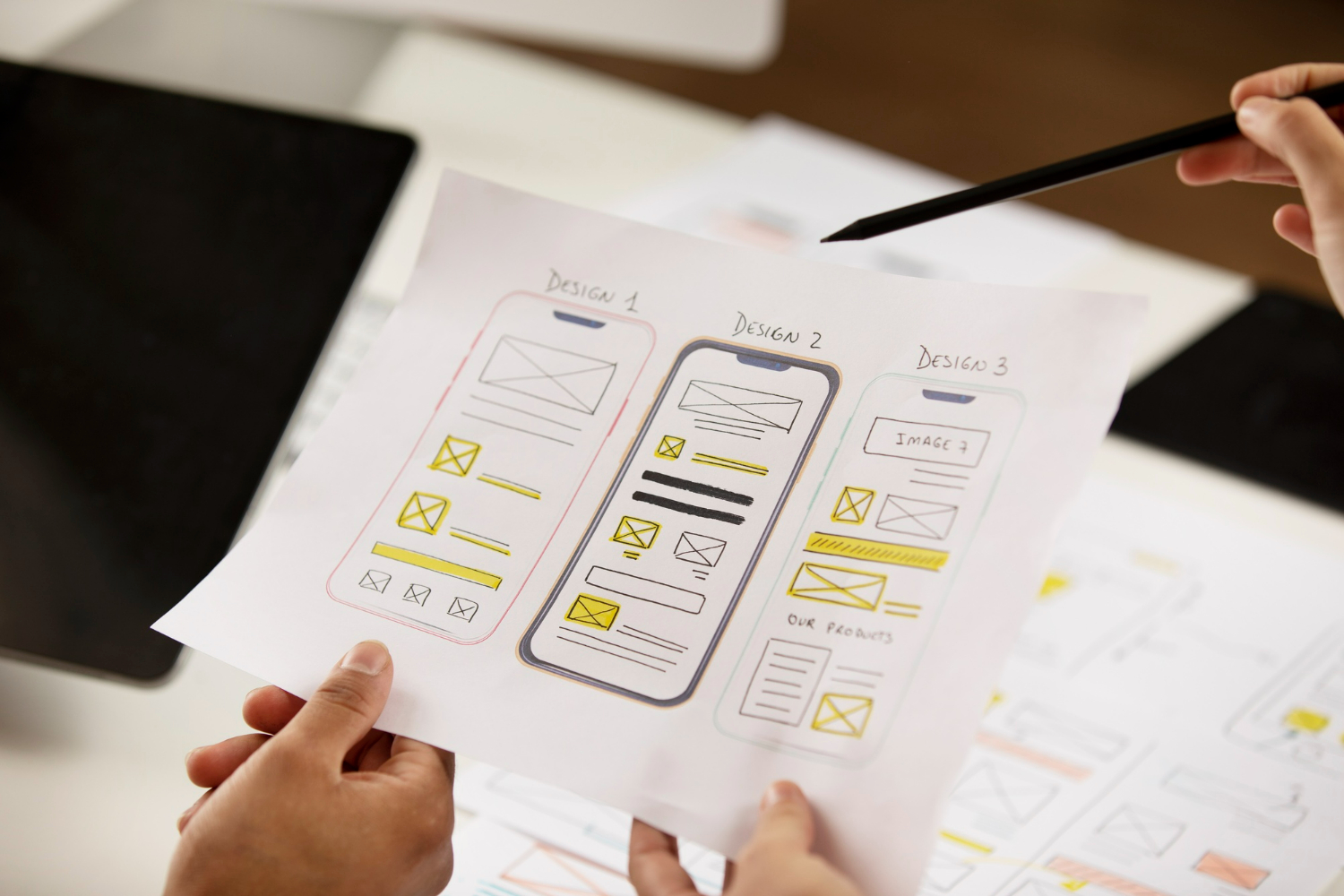
Scrolling is something we all do without thinking much about it. Tap a link, thumb the screen, and just like that, we’re moving through a website. In a city like Houston, where things don’t slow down, scrolling shapes how we build and update sites. Spring only speeds things up. People are outside more, checking their phones between events, errands, or in line somewhere. That quick motion changes how we design pages and arrange content.
When we think about web design in Houston, we think about pace. Not just how fast a page loads, but how fast someone moves through it. A design that felt solid in winter can start to feel slow once the days get longer and life picks up. As scrolling habits shift with the season, the design has to shift too.
Understanding Scrolling Habits in Houston
Spring in Houston brings sunshine, outdoor plans, and quicker online habits. People use their phones more when they’re out and about. Whether someone is on the patio at a coffee shop, walking through a park, or waiting for a food truck order, they’re scanning, not settling in for deep reading.
This means most visitors aren’t reading every word. They’re skimming, trying to find that one thing they need: a service, an address, a contact button. The design has to respect their time and their habits.
- Keep descriptions short and put key facts near the top
- Use mobile-friendly layouts that load fast and feel easy to swipe
- Break up heavy blocks of text with quick highlights or images
- Give people visual breaks so they don’t scroll past what matters
Design should fit the mood of the season. In spring, that mood is active and mobile.
The Rise of Long-Scrolling Pages
We’ve seen more Houston sites move away from multi-page setups and toward long-scroll formats. Instead of making someone tap through tabs or dropdown menus, all the essentials are stacked neatly on one page. This helps visitors get what they need faster, especially when they’re on the move.
Done right, a long-scroll page doesn’t feel like a long read. It flows. We use careful spacing and fixed headers so key info stays visible. Anchors help people jump right to sections. That way, they’re not stuck swiping forever to find store hours or a menu.
- Sticky headers remind users where they are as they scroll
- Anchor links work like shortcuts on the same page
- Horizontal rules, background changes, or white space can help pace the scroll
- Copy should be tight and logical so visitors don’t feel lost halfway down
Longer pages only work when the structure supports them. Without visual rhythm or clear direction, people tend to leave early.
Placement of Content Matters More Than Ever
On many Houston business websites, the first few seconds decide whether a visitor stays. So we focus heavily on what shows up first, especially above the fold on phones. If someone at a food truck lot is trying to check closing hours, they shouldn’t need to scroll more than once.
It helps to be direct but friendly. Show location, hours, basics of what you offer, then build from there. If that core info is buried, we’re risking a quick exit.
- The first view should answer the biggest questions: what, where, when
- Use cards or containers to group content in ways that are easier to digest
- Place photos or icons near headings to make sections easier to spot
- Avoid packing too much into the top, or it overwhelms fast scrollers
We’ve found that spacing and sequencing keep people motivated to move down the page. If it gets heavy or hard to follow, that person might just go back to search and try someone else.
Navigation That Follows the Scroll
When someone scrolls through a site on their phone, they don’t want to scroll back up just to find a menu. That’s why we use navigation tools that move with them. Fixed menus, floating buttons, and tucked-away tabs make it easy for people to jump between sections or take action without losing momentum.
This isn’t just about usability. It’s about making people feel like the site is working with them, not against them. Especially in warmer months, when screen glare or time constraints make tiny taps tricky.
- Keep a sticky menu visible, but small, so it doesn’t cover content
- Use fixed buttons for high-priority actions like scheduling, calls, or maps
- Let visitors re-open a section quickly instead of forcing a long swipe back
- Design for fingers, not cursors. Thumb-sized buttons help a lot
Smart navigation does more than help people move around. It reduces the effort needed to stay engaged, which is what we want when Houston users are juggling plans and screen time.
Why Designing for Scroll Keeps Houston Visitors Engaged
We build with scroll in mind because that’s how most people move through a site. Especially in spring, when schedules are full and phones are always within reach, scrolling behavior becomes how people interact. If a site doesn’t match those habits, it gets left behind, sometimes before it even loads fully.
When we respect how people browse, we make it easier for them to stick around. That’s what keeps a site working. Not the number of pages or how fancy it looks, but how it feels to use. Clean layouts, visible content, and smart movement let people read, decide, and act without hesitating. And in a busy city like Houston, that difference matters.
At BK Design Solutions, we specialize in creating user-friendly and engaging websites tailored to how Houston moves and scrolls online. Understanding the fast-paced environment and shifting online behaviors in Houston, we ensure every site we design delivers a seamless user experience. Ready to enhance your digital presence? Discover how our expertise in web design in Houston can make the difference for your business. Reach out today to start your journey with us.